If you’re building a physical product, it’s easy to confuse a makerspace with a hardware prototyping studio.
Both can help you move an idea forward, but they serve very different needs.
This guide explains the difference in practical terms so you can choose the right path early.
Quick definition
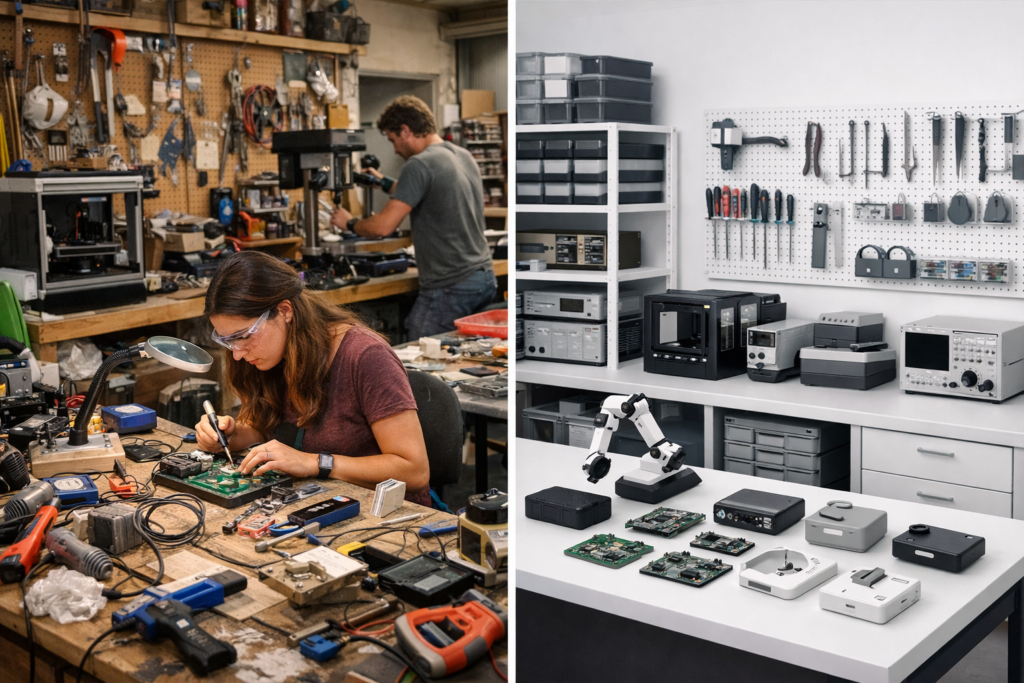
- Makerspace: a shared workshop where you can access tools and build things yourself.
- Hardware prototyping studio: a professional service that designs and builds functional prototypes for you, with engineering ownership and deliverables.
In short: a makerspace helps you do; a prototyping studio helps you ship a working prototype.
What a makerspace is great for
Makerspaces are ideal when you want to learn, explore, or build early experiments with your own hands.
They can be a strong option if your goal is hands-on iteration and you have time to work through uncertainty.
- Learning and exploration: electronics basics, 3D printing, laser cutting, small builds.
- Access to tools: soldering stations, printers, CNC, measurement tools (varies widely).
- Community support: peer advice, workshops, shared knowledge.
- Low-stakes iteration: quick experiments when outcomes are uncertain and timelines are flexible.
A makerspace is often the right choice when your main constraint is budget and your main resource is time.
What a hardware prototyping studio does
A hardware prototyping studio is built for teams that need a functional prototype without becoming experts in electronics,
firmware, and integration. The focus is engineering clarity, risk reduction, and reliable outcomes.
- Technical direction: making the right early decisions on architecture, components, and constraints.
- Functional prototypes: electronic prototypes that can be tested, demonstrated, and validated.
- Integration work: electronics, embedded firmware, and basic mechanical integration (enclosures, mounting, wiring).
- Structured workflow: documentation, iteration control, and clear next-step recommendations.
A prototyping studio is often the right choice when your main constraint is time, risk, or internal bandwidth.
Side-by-side comparison
| Topic | Makerspace | Hardware Prototyping Studio |
|---|---|---|
| Who does the work? | You (hands-on) | Engineering partner (done with/for you) |
| Best for | Learning, experiments, DIY builds | Functional prototypes, validation, investor demos |
| Typical outcome | Progress depends on your time and skill | Clear deliverables and a working prototype |
| Risk profile | Higher risk of technical dead-ends | Lower risk through structured decisions |
| Speed | Can be slow if learning is required | Typically faster for a working prototype |
| Cost | Lower cash cost, higher time cost | Higher cash cost, lower time and risk cost |
Which one should you choose?
Here are a few simple rules that work well in practice:
- Choose a makerspace if you want to learn, experiment, and you can afford slower iteration.
- Choose a prototyping studio if you need a functional prototype for validation, demos, or stakeholder alignment.
- Choose a prototyping studio if your team is software-heavy and lacks hardware integration expertise.
- Choose a prototyping studio if mistakes will be expensive later (time, reputation, investor timeline).
Common misunderstandings
“A makerspace is cheaper, so it’s always better.”
A makerspace can reduce cash spend, but it increases the time and learning required.
If your project has deadlines, external stakeholders, or real commercial risk, “cheaper” can become expensive quickly.
“A prototyping studio is only for production.”
Not necessarily. Many teams use a studio specifically to build early-stage prototypes and reduce uncertainty before committing to custom hardware or manufacturing decisions.
Practical takeaways
- A makerspace helps you build it yourself. A prototyping studio helps you get a working prototype.
- If you need predictable outcomes, choose the option built for engineering accountability.
- If your goal is validation (not learning), prioritize speed, clarity, and integration.
- Early hardware success is mostly about decisions and iteration, not tools alone.